Are your fan returns piling up because of faulty components?
Choosing the wrong timer technology can hurt your brand’s reputation and eat into your profit margins quickly.
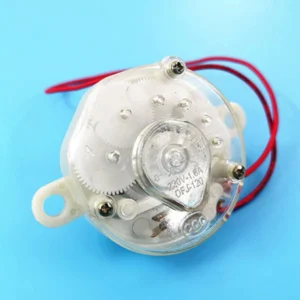
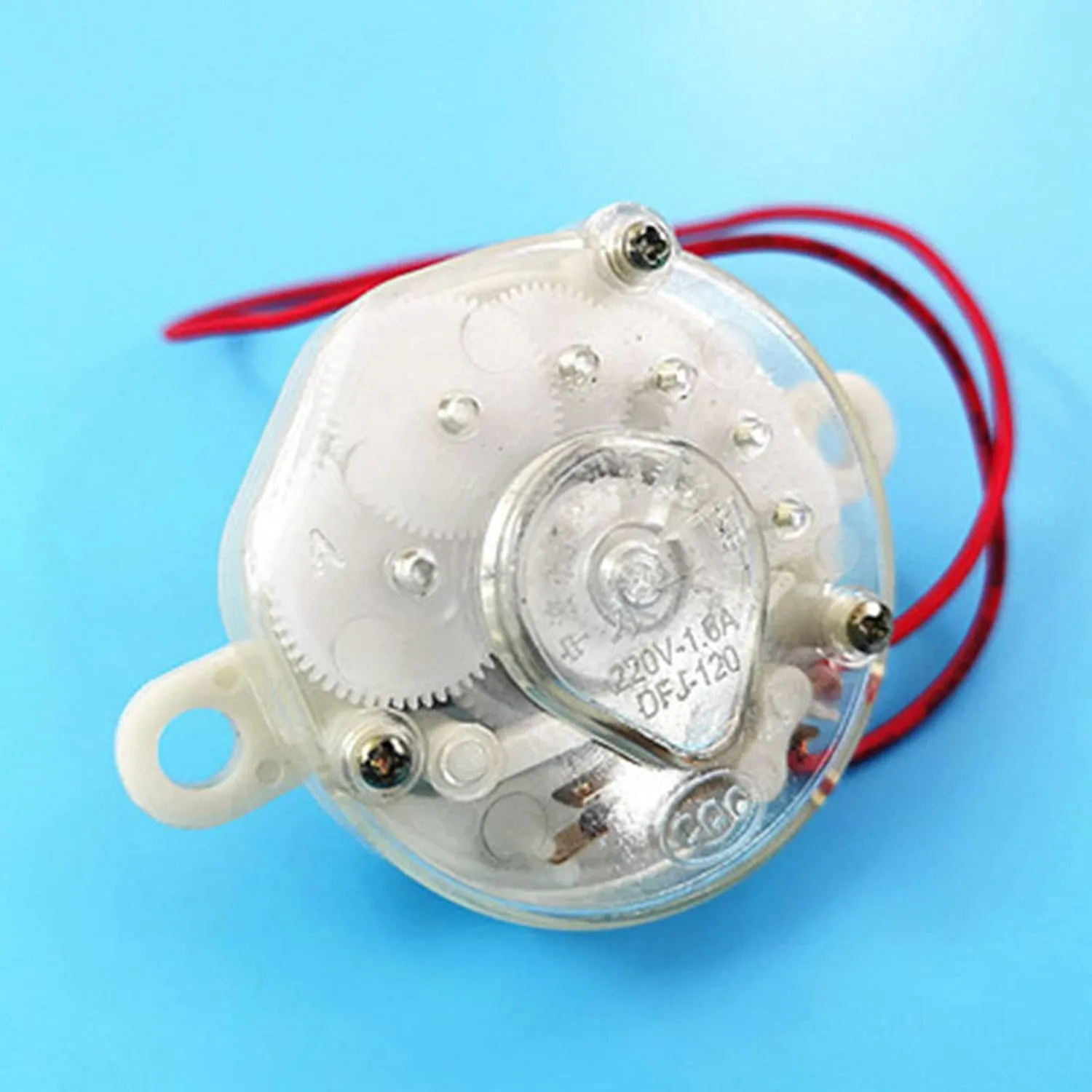
Mechanical timers use physical gears and springs for durability and low cost, ideal for budget-conscious buyers.
Electronic timers rely on circuit boards to offer precise control and smart features for premium customers.
Your choice depends on your target audience’s specific needs and budget.
Let’s look at the key differences to help you decide which one fits your catalog best.
Reliability and Maintenance Risks
Mechanical timers are incredibly tough against voltage spikes but suffer from physical wear over time.
Electronic timers have no moving parts but can fail if the local power grid is unstable or if low-quality components are used.
When you source fans, you must think about the environment where the fan will live.
This is not just about the weather; it is about the power grid.
The Mechanical Advantage
Mechanical timers work like old clocks.
They have springs and gears inside.
If the electricity in your customer’s house jumps up and down (voltage spikes), the mechanical timer does not care.
It is just a physical switch.
This makes them very safe for areas where the power grid is not stable.
They rarely burn out.
However, they do have a weakness.
They have moving parts.
- Wear and Tear: After thousands of turns, the spring might get weak.
- Physical Breakage: If a user twists the knob too hard in the wrong direction, the plastic gears can snap.
The Electronic Vulnerability
Electronic timers use a Printed Circuit Board (PCB).
They are modern and sleek.
But, they are sensitive.
If there is a sudden surge of electricity, the tiny chips inside can fry.
This kills the whole fan control board.
To make electronic timers safe, your factory must use high-quality capacitors and surge protection.
This is a critical quality control point.
If you buy the cheapest electronic option, you might see high failure rates.
| Feature | Mechanical Timer | Electronic Timer |
| Main Component | Springs and Gears | Microchips (PCB) |
| Power Surge Risk | Very Low | High (requires protection) |
| Physical Wear | High (moving parts) | None (no moving parts) |
| Best Environment | Unstable Power Grids | Stable Power Grids |
Manufacturing Costs and Bill of Materials
Your profit margin matters.
Understanding the cost structure of these components helps you negotiate better prices with your suppliers.
Mechanical timers usually have a fixed, lower cost because they are simple standalone units.
Electronic timers vary in price; basic chips are cheap, but adding Wi-Fi or complex displays significantly increases the manufacturing cost.
Price is often the deciding factor for B2B importers.
But you need to look at the total cost, not just the unit price.
Simplicity vs. Scalability
Mechanical timers are a commodity.
The technology has not changed much in decades.
The price depends mostly on the cost of raw materials like copper and plastic.
They are also very easy to install.
The factory workers just connect two wires and mount the knob.
This keeps labor costs low.
Electronic timers are different.
The cost is flexible.
- Basic: A simple chip with LED lights is very cheap to make. It might even be cheaper than a good mechanical switch.
- Advanced: If you want a touch screen, remote control receiver, or Wi-Fi for an app, the cost goes up fast.
Hidden Costs
You also need to think about the “molds” (the tools to make the plastic parts).
Mechanical timers usually fit standard holes.
Electronic timers often need custom plastic cases for the buttons and screens.
This means you might have to pay for new molds if you want a unique design.
Key Cost Drivers:
- Mechanical: Quality of the spring, fire-retardant plastic.
- Electronic: Chip quality, type of display (LED vs. LCD), remote control capability.
Market Positioning and User Experience
Who is buying your fans?
Your customer’s lifestyle determines which features they value enough to pay for.
Budget-focused buyers prefer mechanical timers for their simplicity and “set-and-forget” durability.
Premium buyers expect the precision, remote control integration, and sleek look that only electronic timers can provide.
Your product catalog likely serves different types of people.
You cannot use one timer for everyone.
You need to match the tech to the user.
The Pragmatic Buyer
Some users just want air movement.
They do not want to read a manual.
They are often older users or people buying fans for workshops, garages, or basic living spaces.
- Direct Control: They like the “click” of a knob. It is intuitive.
- Durability: They want to know it will work even if they drop it.
- No Frills: They do not care about exact minutes. “Roughly one hour” is good enough.
The Premium Buyer
These users place the fan in their living room or bedroom.
They care about design and convenience.
They are willing to pay more for comfort.
- Remote Control: This is the biggest advantage of electronic timers. You cannot easily use a remote with a mechanical spring timer. Premium buyers want to change settings from their bed.
- Precision: They can set the fan to turn off in exactly 4 hours.
- Visuals: They like seeing the lights that show the current mode.
Who buys what?
| User Type | Preferred Timer | Why? |
| Budget/Economy | Mechanical | Low cost, easy to use, durable. |
| Luxury/Smart Home | Electronic | Remote control, precise timing, modern look. |
| Commercial/Industrial | Mechanical | Heavy-duty, handles rough use. |
Conclusion
Don’t choose just one type.
Stock mechanical models for durability and volume sales, and electronic models for premium buyers who want features.
Balance your inventory to meet all needs.
If you have specific requirements for customized electric fan timers, please contact us.
Frequently Asked Questions
1. Do fan timers actually save electricity?
Yes.
By automatically turning off the fan when it is not needed, such as after you fall asleep or leave a room, timers prevent wasted energy and lower utility bills.
2. Can I add a smart plug to a mechanical fan?
Yes.
A mechanical fan with a physical “on” switch works perfectly with smart plugs.
You can leave the fan switch “on” and use the smart plug to control the power.
3. Why does my mechanical timer make a ticking sound?
The sound comes from the internal gears and spring unwinding, similar to an old-fashioned clock.
This is normal operation for spring-wound mechanisms.
4. Which timer lasts longer, mechanical or digital?
Mechanical timers are generally more durable in rough environments, but the spring can wear out.
Digital timers can last longer theoretically but are more likely to break from power surges.
5. Can electronic fan timers work without a remote?
Yes.
Most electronic fans have a control panel on the unit itself.
However, the remote is a key selling point for these models.
6. Are electronic timers safe to use in bathrooms?
It depends on the IP rating (water resistance).
Electronics are sensitive to moisture, so you must ensure the fan is specifically rated for bathroom use to avoid short circuits.
7. How accurate are mechanical fan timers?
They are not perfect.
A 60-minute mechanical timer might run for 55 or 65 minutes.
Electronic timers are precise and will stop exactly when programmed.
8. Do mechanical timers consume standby power?
No.
Mechanical timers use stored physical energy from the spring.
They do not draw any electricity when the fan is off, unlike electronic timers which use a small amount of power for standby mode.